
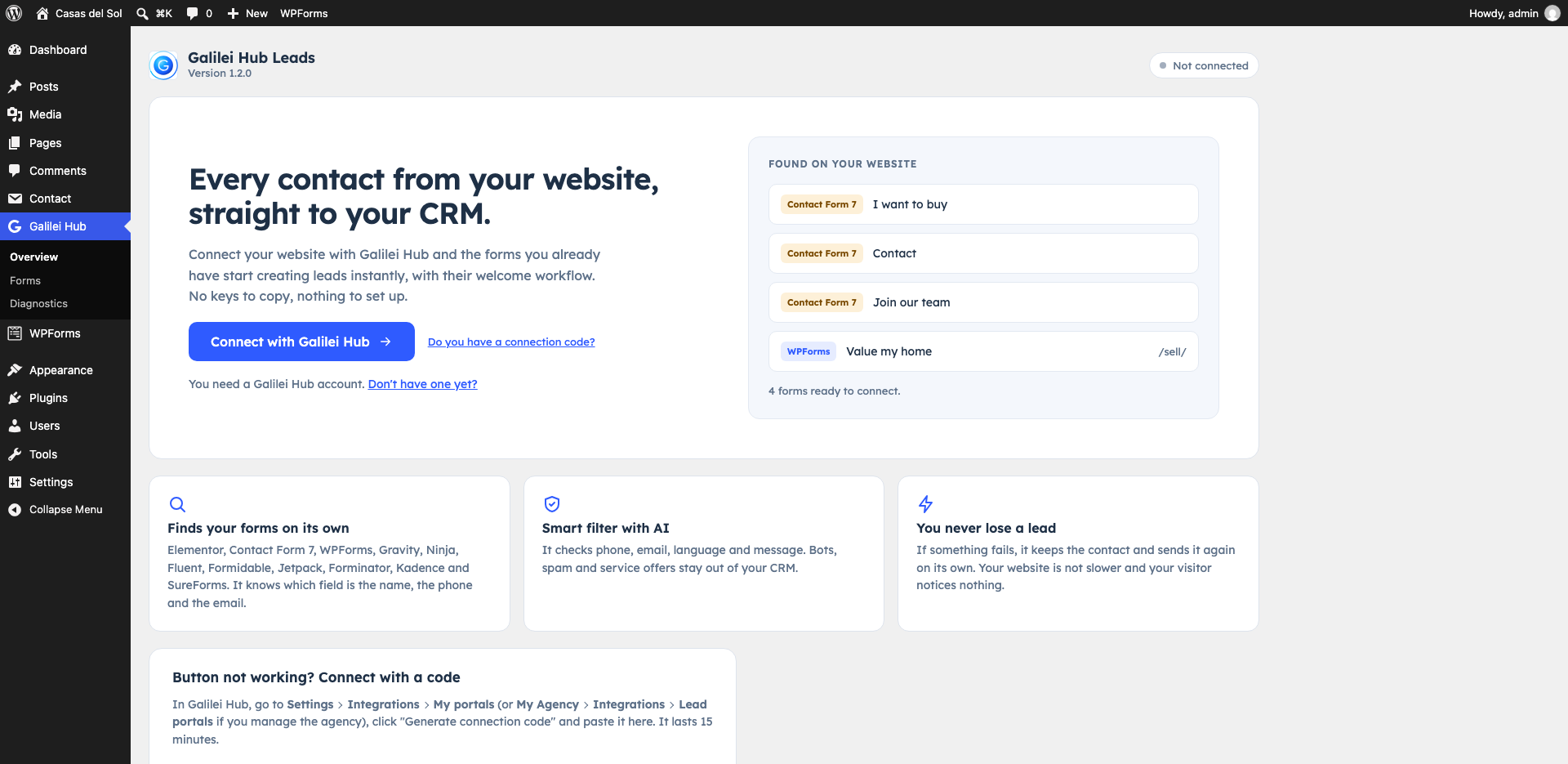
Right now a contact from your website lands in an inbox nobody opens in time, right next to bots that want to sell you SEO.
Three steps, and none of them is copying a key
-
Install the plugin
Upload and activate it like any other. Before you connect anything, it already shows you the forms it found on your site.
-
Click “Connect with Galilei Hub”
Galilei Hub opens and shows you which site is connecting and to which brokerage. If it is the first time that site connects, it warns you.
-
Choose who gets the leads, and allow it
The broker picks “To the agency pool”, “To me” or “To an agent”; an agent’s own site sends its leads to that agent. Click “Allow and connect” and you are back in WordPress, connected.
It works with the forms you already have
Nothing to rebuild: the plugin finds your forms on its own and, when it can tell, which page each one is on and in which language.
- Elementor Pro
- Contact Form 7
- WPForms
- Gravity Forms
- Ninja Forms
- Fluent Forms
- Formidable Forms
- Jetpack Forms
- Forminator
- Kadence Blocks
- SureForms
For Kadence Blocks, the Form block and Advanced Form; for SureForms, version 2.12.9 or later. Free Elementor has no forms, so you need Elementor Pro.
Only forms that look like client forms switch themselves on. The ones that look like agent recruiting or booking forms start switched off, with a line that says why, and one click turns them on. If the same page is translated with WPML or Polylang, each language is a separate form with its own switch.
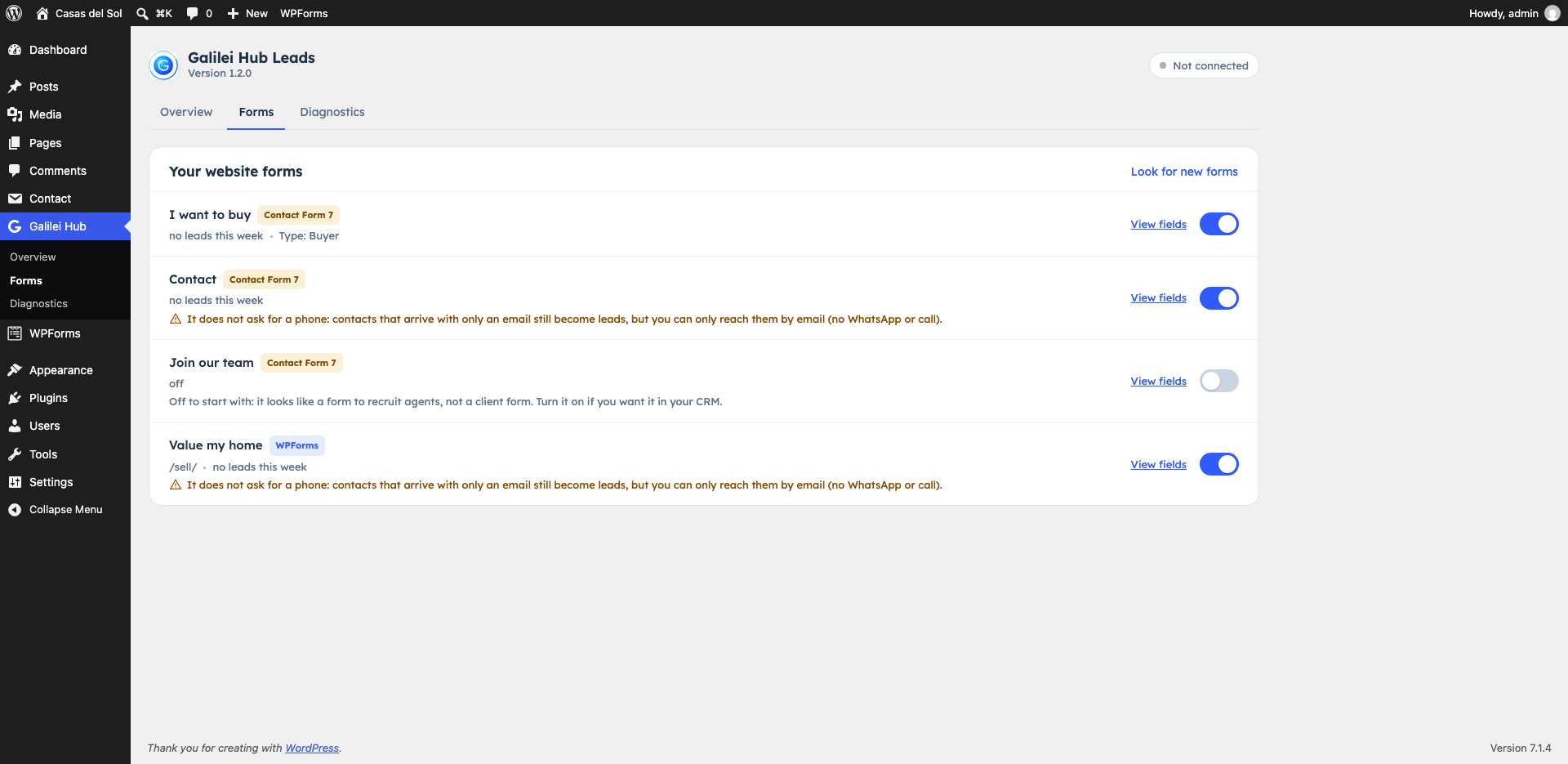
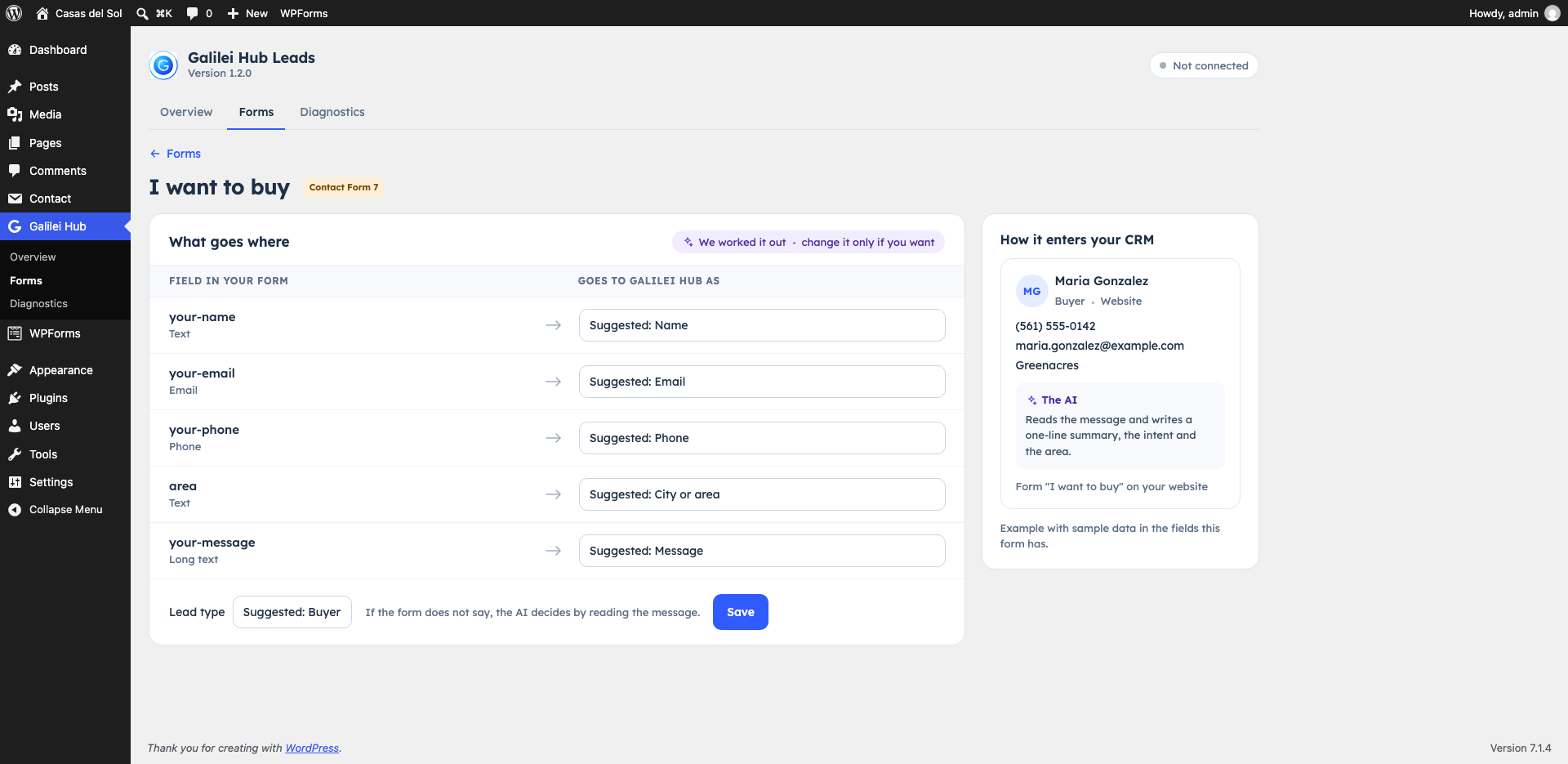
It suggests which field is the name, the phone and the email, and tells buyer forms from seller forms. You change it only if you want, and it shows you how the lead would come in with that form’s fields. If a form doesn’t ask for a phone, it tells you.
Before a lead is created, someone checks the submission
That someone is the Smart Filter. It looks at the phone, the email, the language, the name and the links, and then the AI reads the message.
-
Phone
It has to be from your brokerage’s country. It catches fictional numbers like 555-01XX, repetitive ones, area codes that don’t exist and premium-rate lines.
-
Email
It checks that the domain accepts mail, disposable addresses and brand-new domains. A gmial.com typo isn’t spam: it suggests the fix.
-
Language
Your brokerage picks the languages it serves, Spanish and English by default. A message in another language isn’t lost, it goes to “To review”. One in a non-Latin script is spam.
-
Name
It flags names with numbers, symbols or links, and names that look generated by a bot.
-
Links
A link in the message weighs a lot, and more so if it points to one of the cheap domains spam likes to use.
-
Bots
Your site gets an invisible trap field and a browser signature, and anything sent in under 3 seconds counts as a signal (except on Ninja Forms). Those signals set the submission aside even when the contact is already a lead. For more, switch on Cloudflare Turnstile.
The AI sorts each message into real client, wants to join the team, service pitch, off topic, possible scam or test. It can only make the verdict worse, never rescue spam, and if it takes longer than 5 seconds the filter decides on its rules alone.
Whatever passes the filter goes into your CRM as a lead. Everything else lands in one of these three trays, and nothing in them gets messages or triggers workflows.
-
To review
The doubtful ones, with two buttons: “It’s a client” and “It’s spam”. A daily digest lists what is waiting here.
-
Spam
The ones with clear signals. Deleted automatically after 30 days.
-
Sales offers
SEO, website and marketing offers, which the filter spots by their wording and with the AI.
Each submission shows its reasons and what the AI said. In “To review”, “It’s a client” creates the lead and “It’s spam” sets it aside and counts as a vote for your blocklist. In Spam and “Sales offers”, “Not spam” creates the lead and lets that contact’s next submissions straight in, and “Delete” removes it. If the filter fails, the contact comes in as a lead: losing a real client is worse than letting one spam through.
The lead arrives knowing where it came from
It comes in with the source “Website”, its timeline says it arrived through your website, by address, and a note names the form and the page path, with the WordPress form plugin that sent it.
- The campaign it came from: UTM, gclid, fbclid, referrer and landing page, saved the first time it comes in.
- Their language, Spanish or English: the one of the form’s page, unless the AI reads the other one in the message and your brokerage serves it.
- A notification to whoever owns the lead as soon as it arrives.
- No duplicate records: if the client already exists in your brokerage by email or phone, the submission joins that record. A new message is noted and you get a notification; a submission with minor doubts joins with a note that says so.
When your brokerage connects its first website and doesn’t have a workflow for website leads yet, Galilei Hub creates “Speed-to-Lead: website lead” for you, paused. You review it and switch it on in Workflows.
Install it once and stop watching it
-
The contact is saved first
While the visitor submits, the plugin only saves the contact on your site. Sending it to Galilei Hub happens after they see the “thank you” message, and an error on our side never breaks the form.
-
If Galilei Hub doesn’t answer
The contact waits in a queue on your own site and is resent on its own: with growing gaps for the first 24 hours, then every 6, for up to 30 days. A retry never creates a duplicate lead.
-
Diagnostics you can read
One tab checks the connection, the key, internet access, the queue, each form plugin, the page cache, PHP, WordPress and WP-Cron. Each problem says what is wrong and how to fix it, and the plugin adds its own test to Site Health.
-
The cache doesn’t keep the old form
When you activate and connect it, it clears the cache of WP Super Cache, WP Rocket, W3 Total Cache, LiteSpeed Cache, SiteGround Optimizer and WP Fastest Cache. If Cloudflare also caches your pages, purge it there.
-
Numbers that don’t blur together
The plugin overview splits the last 7 days into new leads, submissions that joined a lead you already had, what is waiting in review, and spam blocked.
-
Error reports, only if you want them
They start switched off. Turn them on and they send technical data about the plugin, never names, phones, emails, messages or IP addresses. For support there is a report you copy with one button.

The plugin is free
Galilei Hub Leads is free and open source, under the GPL. What you connect it to is your Galilei Hub account. Galilei Hub costs $29 per user per month.
The AI behind the filter and the field matching uses your brokerage’s AI and counts against its monthly cap. If the cap runs out, the filter keeps working on its rules.
See pricingWhat people ask before installing it
WordPress 6.5 or later and PHP 8.1 or later. If your site falls short, the plugin’s Diagnostics tab tells you.
Eleven: Elementor Pro, Contact Form 7, WPForms, Gravity Forms, Ninja Forms, Fluent Forms, Formidable Forms, Jetpack Forms, Forminator, Kadence Blocks (the Form block and Advanced Form) and SureForms 2.12.9 or later. Free Elementor has no forms.
No. You install it like any plugin, connect it with one button and it suggests what each field is. If the button doesn’t bring you back to WordPress, click “Generate connection code” in Galilei Hub and paste the code into the plugin; it lasts 15 minutes.
Only if your plan lets you install plugins. On plans that don’t, the “Upload Plugin” option isn’t there.
The Smart Filter sets it aside before it reaches your CRM. Anything with clear signals goes to Spam and is deleted after 30 days, doubtful submissions wait in “To review” for a person to decide, and if spam keeps getting through you can switch the filter from Normal to Strict, which sets more aside. What Akismet or your form plugin already flags as spam isn’t even sent.
Every field of the form except the ones you set to “Do not send”, the page address and title, the property on that page when the plugin finds it (MLS number, address and price), the form name, the page language, campaign parameters when there are any and, only to filter spam, the visitor’s IP address and browser. Galilei Hub deletes the full submission, IP and browser included, after 30 days. With a consent manager (Complianz, Cookiebot, CookieYes or the WP Consent API), the campaign is only remembered if the visitor accepts marketing cookies; without one, it isn’t remembered unless you turn on “Remember the campaign without a consent manager”.
Yes, with “Disconnect” in the plugin or on the “Your website (WordPress)” card in Galilei Hub. Leads that already came in stay in your CRM. Anything sent meanwhile waits in your site’s queue for up to 30 days and comes in on its own when you click “Connect again”, and reconnecting clears the connection warnings by itself.
They start switched off, with a line that explains why: they aren’t client forms. If you want those contacts in your CRM, one click turns them on.
Yes. The Spanish translation comes inside the plugin, complete, and shows up as soon as your WordPress is set to Spanish.
Let the next contact from your website go straight into your CRM
Create your account, download the plugin and connect it with one button.
Try it free for 14 daysYou download the plugin from your Galilei Hub account: under Settings › Integrations › My portals, or My Agency › Integrations › Lead portals if you manage the agency.